Ordering
Artwork for printed wristbands: a checklist
Updated 2 min read Paper Bands by Adalwin
Send vector artwork (AI, EPS, PDF or SVG) with text converted to outlines, sized to the print area of the width you ordered and kept clear of the adhesive end. Use bold text a door host can read at arm’s length, keep QR codes short and test-scanned, and approve nothing until you have checked the proof against this list.
Files
- Vector first. AI, EPS, PDF or SVG print sharpest at band size. A logo that is only a JPEG will be redrawn or will print soft.
- Text to outlines. Convert fonts to outlines so the printer does not substitute a font you did not choose.
- Raster at 300 dpi. If a photo must go on the band, supply it at 300 dpi at the printed size.
Size and position
Print only inside the print area, and keep the adhesive end clear: it overlaps when the band is closed. As a reference, one supplier quotes about 170 × 15 mm on a 19 mm band and 170 × 21 mm on a 25 mm band. Our print area: the full length of the band or a centre panel, front only.
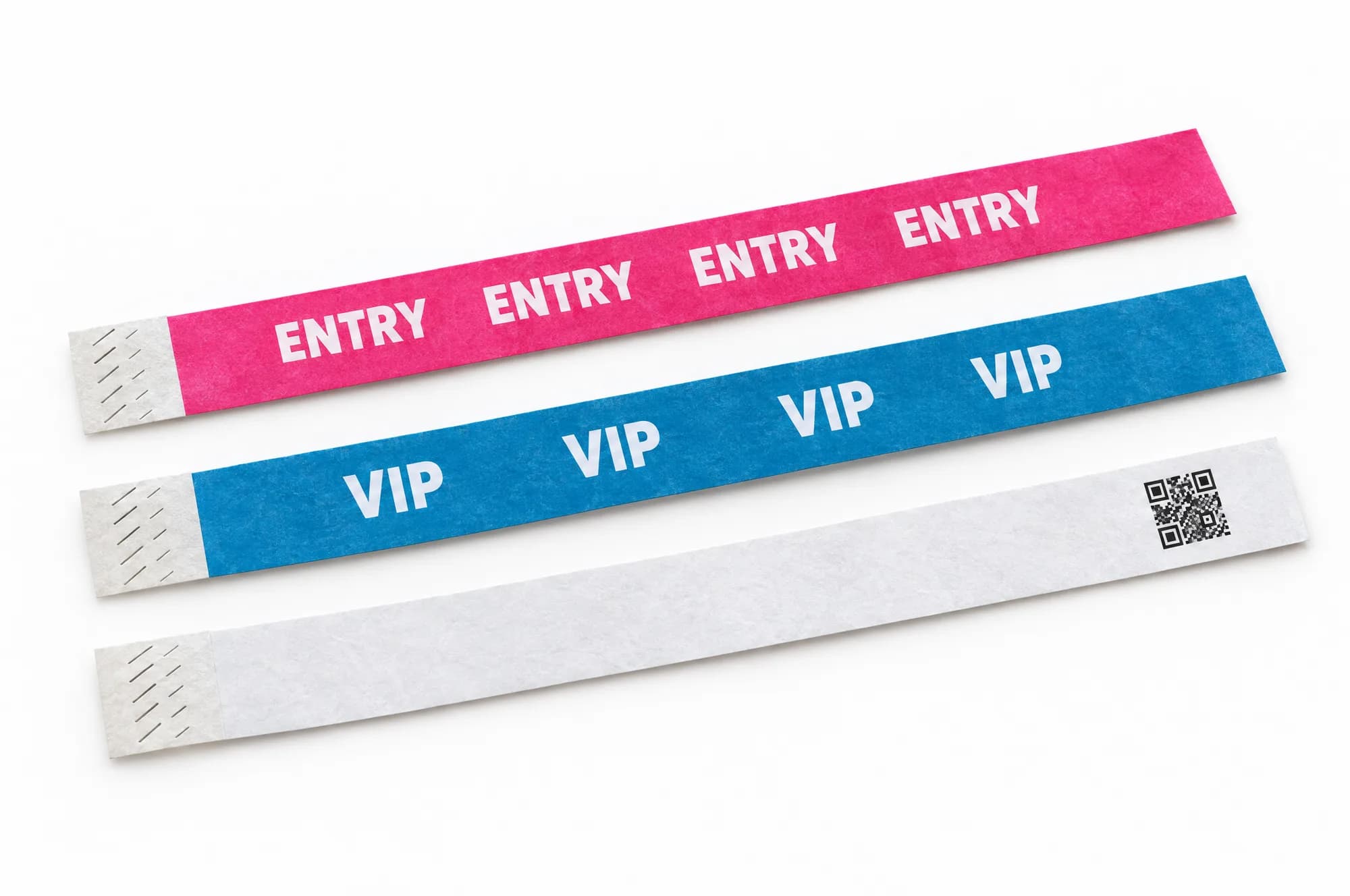
Repeat the design along the band. Whichever part faces the door host, they see the name.
Text that can be read at the door
- Bold, not thin. Hairline type disappears on a fibrous band. Use a bold weight.
- Short words. VIP, ENTRY, DAY 2, CREW. Two or three words per repeat.
- Contrast with the band. Dark ink on light bands, and check what your printer offers for dark bands before designing for them.
Colour
For one-colour print, give the ink as a Pantone reference. For full colour, supply CMYK. Remember the band colour sits under the ink: the same logo looks different on yellow and on blue.
Numbers and QR codes
- Numbers: say the first number, the last, and where on the band it goes.
- QR codes: keep the encoded text short, such as a short ID instead of a long web address, so the code has fewer, larger squares. Leave a clear margin round the code.
- Codes from your ticketing system: send them as a spreadsheet, one code per row, in print order.
Check the proof
- Spelling of every word, especially names and dates.
- The right band colour for each design.
- First and last numbers, if numbered.
- Scan the QR code on the proof with two or three of the phones your staff will use.
- Quantities per colour add up to the order.
Proof turnaround: the same day, as a digital proof. Start an order from the printed wristbands page.
Questions
Is there a wristband template?
A template shows the print area for each width. Ask for it with your quote; we send it once the print area for your width is confirmed.
Can you lay out the band for us?
Send your logo and the words you want with the enquiry. Every printed order gets a proof to approve before anything is printed.
Sources
- Lanyard.pro, Personalised 19 mm Tyvek event wristband: specifications
- Lanyard.pro, Personalised 25 mm Tyvek event wristband: specifications
Outside sources checked on 14 October 2026.